

The gap between people who find Claude mildly useful and people who find it genuinely transformative usually isn’t about prompting skill or technical knowledge. It’s about whether they’ve built real workflows, or whether they’re still approaching it as a one-off tool they reach for occasionally. Here’s what real workflows look like.
A workflow, in the Claude sense, is a repeatable sequence of steps that produces a reliable outcome. You do it once, it works, you document it, and then you have something you can run again with minimal effort.
I’m Chantelle Staples. These are the workflows I and people I know actually use, across writing, design, research, feedback, and the general overhead of creative work.
The brief-to-first-draft workflow
This is the one most people discover first and use most often. You have something to write, a post, an email, a proposal, a presentation, and you want a strong first draft to work from rather than a blank page.
The key is the brief. Before you ask Claude to write anything, you write out who it’s for, what it needs to do, what the angle is, what the tone is, and what success looks like. Then you give Claude the brief and ask for a draft. Then you iterate.
Most people skip the brief and go straight to “write me a…”. The brief is the entire difference between a draft that’s 70% there and one that needs complete rewriting.
The design critique workflow
Upload a screenshot, a mockup, or a design file. Give Claude the context: what it is, who it’s for, what it’s trying to do, what stage it’s at. Ask for critique across the dimensions that actually matter to you, hierarchy, clarity, emotional tone, accessibility, brand alignment.
The useful thing here isn’t that Claude’s taste is perfect. It’s that it will surface things you’ve stopped seeing because you’ve been looking at them for too long. Fresh eyes on demand.
The research synthesis workflow
You have a pile of sources, articles, reports, interview transcripts, competitor analyses, and you need to make sense of them. Paste them in (or upload the PDFs) and ask Claude to synthesise, identify patterns, surface contradictions, or extract the five things most relevant to a specific question.
This is one of the highest-value uses of Claude for product designers and strategists. The cognitive work of holding multiple sources in your head simultaneously and finding the through-line is genuinely hard. Claude is good at it.
The thinking-partner workflow
This one is underrated. You have a half-formed idea, a decision you’re wrestling with, or a problem you can’t quite articulate. You explain it to Claude, messily, incompletely, and ask it to help you think it through.
“Here’s what I’m trying to figure out. Here’s what I know. Here’s what I’m unsure about. What questions should I be asking that I’m not?”
The act of explaining the problem clearly enough for Claude to engage with it often clarifies it for you before Claude has even responded. And then the response adds another layer. It’s the closest thing I’ve found to thinking out loud with someone who has no agenda and infinite patience.
The admin compression workflow
Meeting notes into action items. A long email thread into a three-line summary. A 40-page report into the five things you actually need to know. A set of feedback comments into a prioritised list of changes.
These tasks are low-value but time-consuming. They are also exactly the kind of thing Claude handles quickly and well. Every hour you get back from compression work is an hour available for the thinking that actually moves things forward.
Key takeaways
- A workflow is a repeatable sequence of steps. Document what works and you have something you can run again with minimal effort.
- The brief-to-first-draft workflow lives or dies on the quality of the brief. Write the brief before you ask for the draft.
- Design critique: give Claude the context (what it is, who it’s for, what stage) before asking for feedback. The context shapes the usefulness of the response.
- Research synthesis and thinking-partner workflows are underused and high-value, especially for product designers and strategists.
- Admin compression, notes to actions, threads to summaries, reports to highlights, is where Claude quietly gives back hours.
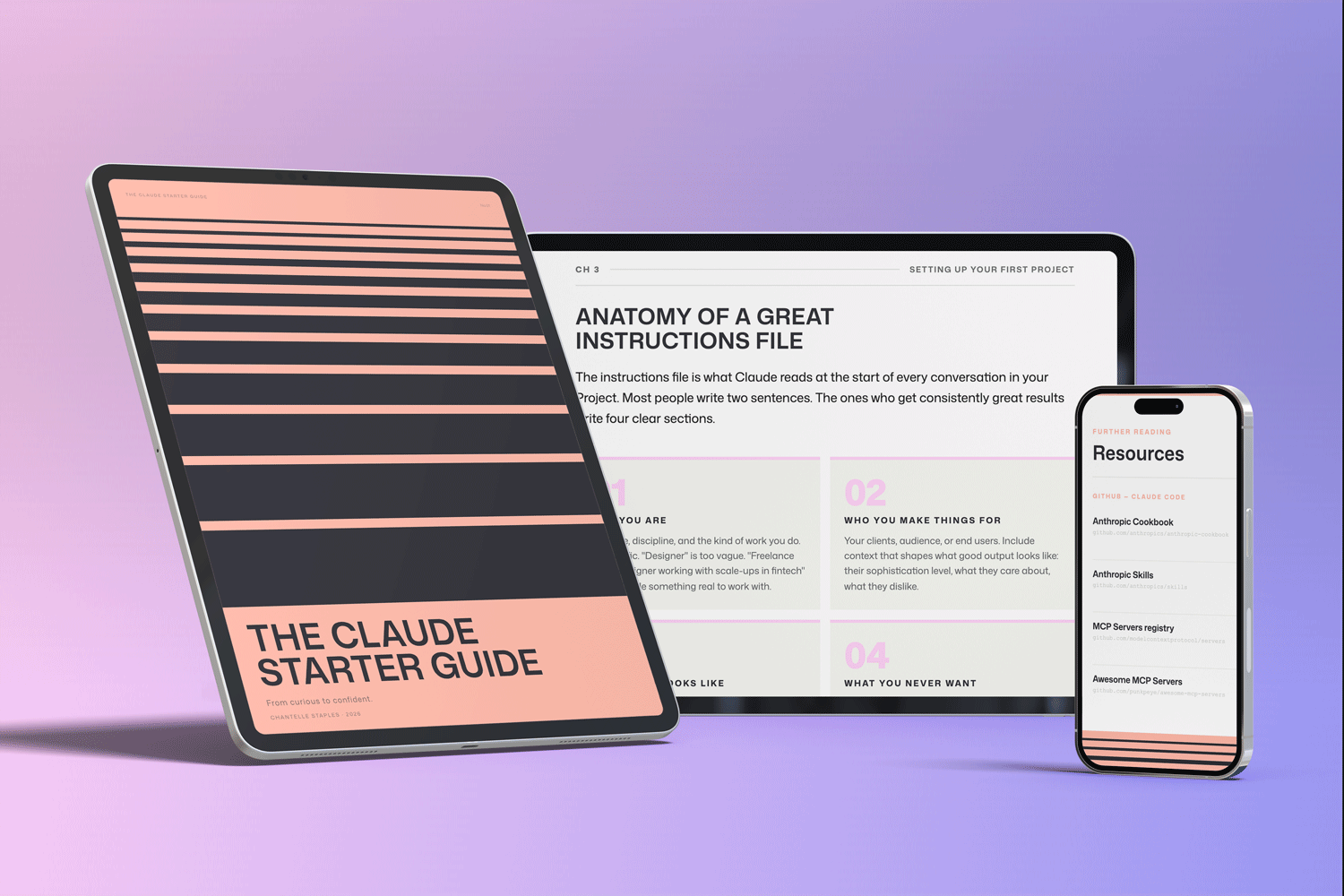
THE CLAUDE STARTER GUIDE
The complete guide to getting started with Claude.
Not sure where to start with Claude, or not getting the results you’re after? This is the guide for you.
Pre-built skills for design, product, and marketing. GitHub setup that makes sense. Step-by-step walkthroughs. Every template and workflow from this series, in one download.
You might also like
- Lost in all the Claude buzz? Here’s what actually matters
- How to write prompts that actually work
- Design isn’t what you make. It’s what you make possible.
Photo by Tim Mossholder on Unsplash
Frequently asked questions
What is a Claude workflow?
A Claude workflow is a repeatable sequence of steps that reliably produces a useful output. You document it once — the prompt, the context, the format — and run it again with minimal effort.
What tasks is Claude best for in a creative workflow?
Claude is strong for first drafts, research synthesis, feedback on work in progress, rewriting and editing, generating alternatives, and documentation. It is less useful for tasks requiring real-time data.
How do I build a Claude workflow from scratch?
Start with a task you do repeatedly. Write out what a great output looks like. Write a prompt that asks for it with full context. Test it. Refine it. Save the working prompt in your Claude Project.
Can Claude save time on admin tasks?
Yes — significantly. Email drafting, meeting summaries, project updates, and routine documentation are all well-suited to Claude workflows. These tasks often take the most time and need the least creativity.
Do I need to start from scratch with every Claude workflow?
No. The Claude Starter Guide includes five workflow templates across common creative disciplines, ready to adapt to your specific context.
Want the full picture? The Claude Starter Guide puts this and every article in the series in sequence — with exercises, worked examples, and the companion GitHub skills kit.
Leave a Reply