

There are three versions of Claude. Most people use whichever one opens by default, never think about it again, and wonder why sometimes it feels slow and sometimes it feels shallow. The model you choose changes the experience significantly. Here is what actually differs between them and when each one earns its place.
I am Chantelle Staples, and this is probably the most practical thing I can tell you before you go any further with Claude.
Most guides skip the models question entirely, or bury it at the end as an afterthought. I think it belongs near the start, because once you understand what you are choosing between, you start making much better decisions about how you work. Not just which model to open, but what kinds of tasks to bring to Claude in the first place.
What is a model, exactly?
When people say “Claude”, they mean the AI system made by Anthropic. When they say “which model”, they mean which version of that system. Each one is trained differently, with different strengths and different trade-offs between speed, depth, and cost.
The analogy I keep coming back to: think of a consultancy with three people on the team. One is brilliant at quick turnarounds and handles the volume work. One is the generalist senior who does most things well. One is the deep thinker you bring in when the problem is genuinely complex and you need them to sit with it properly. Same firm, different strengths, different rates.
Claude’s three models work the same way.
What is Haiku and when should you use it?
Haiku is the fast one. It responds almost instantly, handles high-volume tasks well, and is designed for things where speed matters more than depth.
It is the right choice when the task is clear, bounded, and repetitive. Reformatting a list. Summarising a short document. Writing a subject line. Extracting specific information from a page of text. Anything where you already know exactly what output you want and you just need it done quickly.
Where it falls short is nuance. Give Haiku a complicated brief or an ambiguous problem and it will often produce something technically correct but missing the point. It is not the model you want when the quality of the thinking matters.
What is Sonnet and when should you use it?
Sonnet is the default for good reason. It sits in the middle of the range: meaningfully smarter than Haiku, meaningfully faster than Opus, and good enough for the vast majority of real work.
This is the model I use for most things. Writing, editing, research synthesis, drafting emails, working through strategies, building prompts and workflows. The quality is consistently high and the speed is comfortable.
If you are new to Claude and you are not sure which model to use, the answer is almost always Sonnet. It will handle whatever you are doing well, and you will develop an intuition over time for when you want something different.
What is Opus and when should you use it?
Opus is the deep thinker. It takes longer, and it produces noticeably better results when the problem is genuinely hard.
The difference is not always obvious on simple tasks. But give Opus a complex strategy problem, a difficult piece of writing, a situation with a lot of competing constraints, or anything where you need it to hold a large amount of context and reason carefully across all of it, and the gap between Opus and Sonnet becomes clear.
I reach for Opus when I am working on something where the quality of the output has real consequences. A pitch I am sending to a client. A strategic recommendation. A piece of writing I care about getting right. Not for every session, but for the ones where the thinking needs to be at its best.
Does the model choice actually matter in practice?
Yes. More than most people expect.
I have run the same prompt through all three models on tasks that matter to me, and the difference is not subtle. Opus catches things Sonnet misses. Sonnet catches things Haiku misses. The gap widens as the brief gets more complex and the output requires more judgment.
That said: Sonnet is good enough for most things, most of the time. You do not need to stress about the choice on every task. The useful habit is developing a sense of when depth matters enough to slow down, and reaching for Opus in those moments rather than defaulting to whatever loaded last.
How do you switch between models?
In Claude.ai, there is a model selector at the top of the chat window. Click it, choose the one you want, and the next message you send uses that model. You can switch mid-conversation, which is genuinely useful: start a session in Sonnet, hit a part of the problem that needs more depth, switch to Opus for that section, then come back.
The shortcut I use: Haiku for anything I would describe as admin. Sonnet for most real work. Opus when I need to think something through properly, or when what I am producing genuinely matters.
Once you have that distinction internalised, the next thing to understand is how to write prompts that actually get the most out of whichever model you are using.
Key takeaways
- Three Claude models: Haiku (fast, high-volume tasks), Sonnet (balanced default for most work), Opus (deep reasoning, complex and high-stakes output).
- Sonnet is the right starting point for almost everything. It handles the vast majority of real work at a comfortable speed.
- Reach for Haiku when the task is simple, bounded, and repetitive and speed matters more than nuance.
- Reach for Opus when the quality of the thinking genuinely matters: complex strategy, difficult writing, high-stakes output.
- Switch models in Claude.ai via the dropdown at the top of the chat window. You can change mid-conversation.
- Develop a feel for when depth matters. That intuition compounds over time and changes how useful Claude becomes.
THE CLAUDE STARTER GUIDE
The complete guide to getting started with Claude.
Not sure where to start with Claude, or not getting the results you’re after? This is the guide for you.
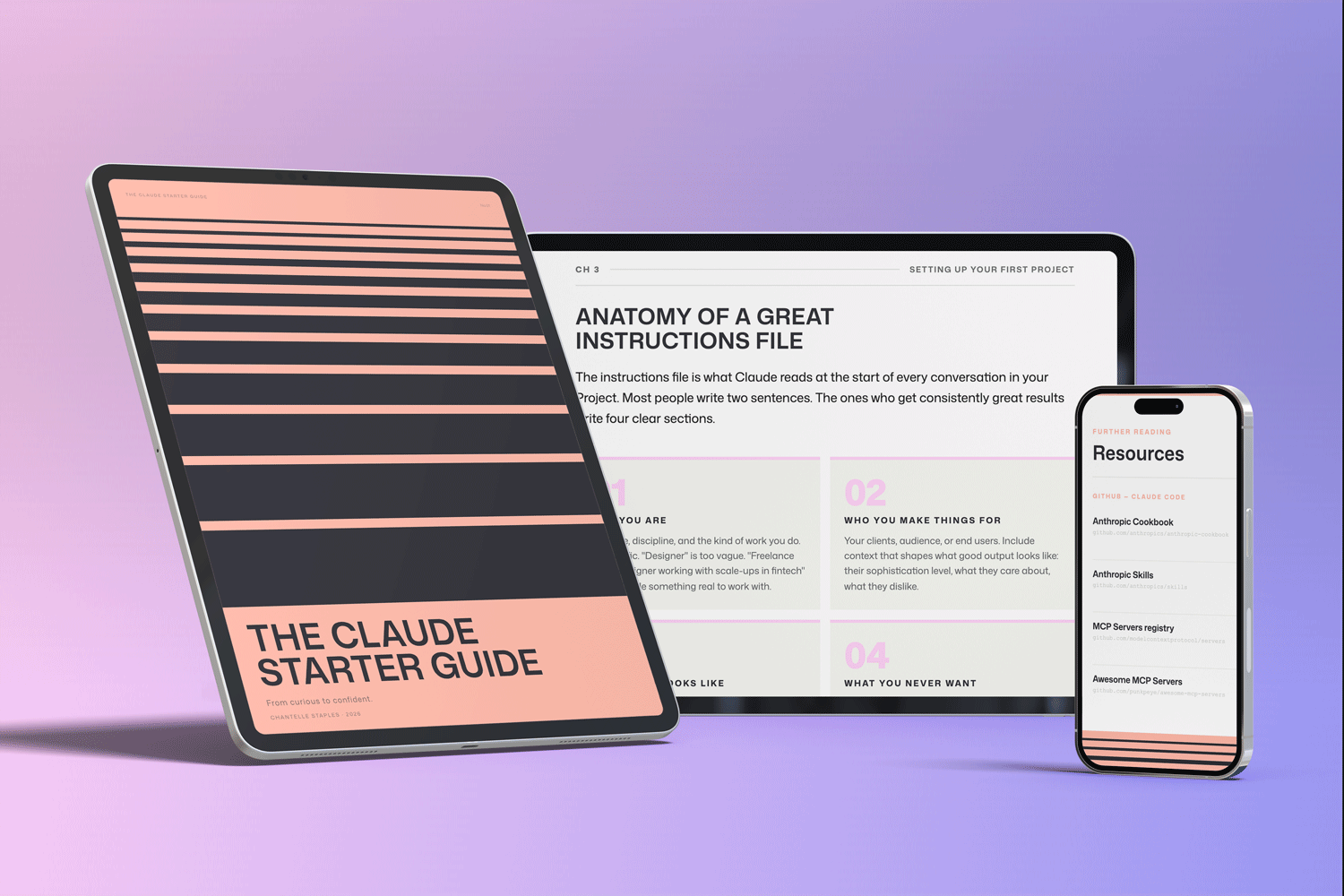
Pre-built skills for design, product, and marketing. GitHub setup that makes sense. Step-by-step walkthroughs. Every template and workflow from this series, in one download.
You might also like
- Lost in all the Claude buzz? Here’s what actually matters
- What Claude can actually do (and most people don’t know about)
- How to write prompts that actually work
Photo by Christopher Burns on Unsplash
Frequently asked questions
What are the different Claude models?
Anthropic offers three tiers: Claude Haiku (fast and lightweight, best for simple tasks), Claude Sonnet (the capable all-rounder for everyday work), and Claude Opus (the most powerful, best for complex reasoning).
Which Claude model is best for everyday use?
Claude Sonnet is right for most everyday tasks — it balances capability and speed well. Haiku suits simple high-volume tasks. Opus earns its place when depth of reasoning genuinely matters.
Is Claude Opus worth it?
For most users most of the time, Sonnet handles tasks well. Opus earns its place for complex analysis, nuanced writing, and situations where getting it right matters more than speed.
How do I switch between Claude models?
On claude.ai, select your model from the dropdown at the top of the chat. Claude Pro subscribers can access all three models. Free users have access to Sonnet with usage limits.
Does the Claude model affect output quality?
Yes, significantly for complex tasks. For simple tasks the difference is minor. For multi-step reasoning or nuanced writing, Opus produces noticeably better results.
Want the full picture? The Claude Starter Guide puts this and every article in the series in sequence — with exercises, worked examples, and the companion GitHub skills kit.
Leave a Reply